
the cash ai – A well-designed financial tracker that makes it easy to manage your expenses and income
Capture transactions by voice or with a fast manual flow, track 300+ fiat and cryptocurrencies, and turn everyday activity into clear insights.
🍏 Download for iOS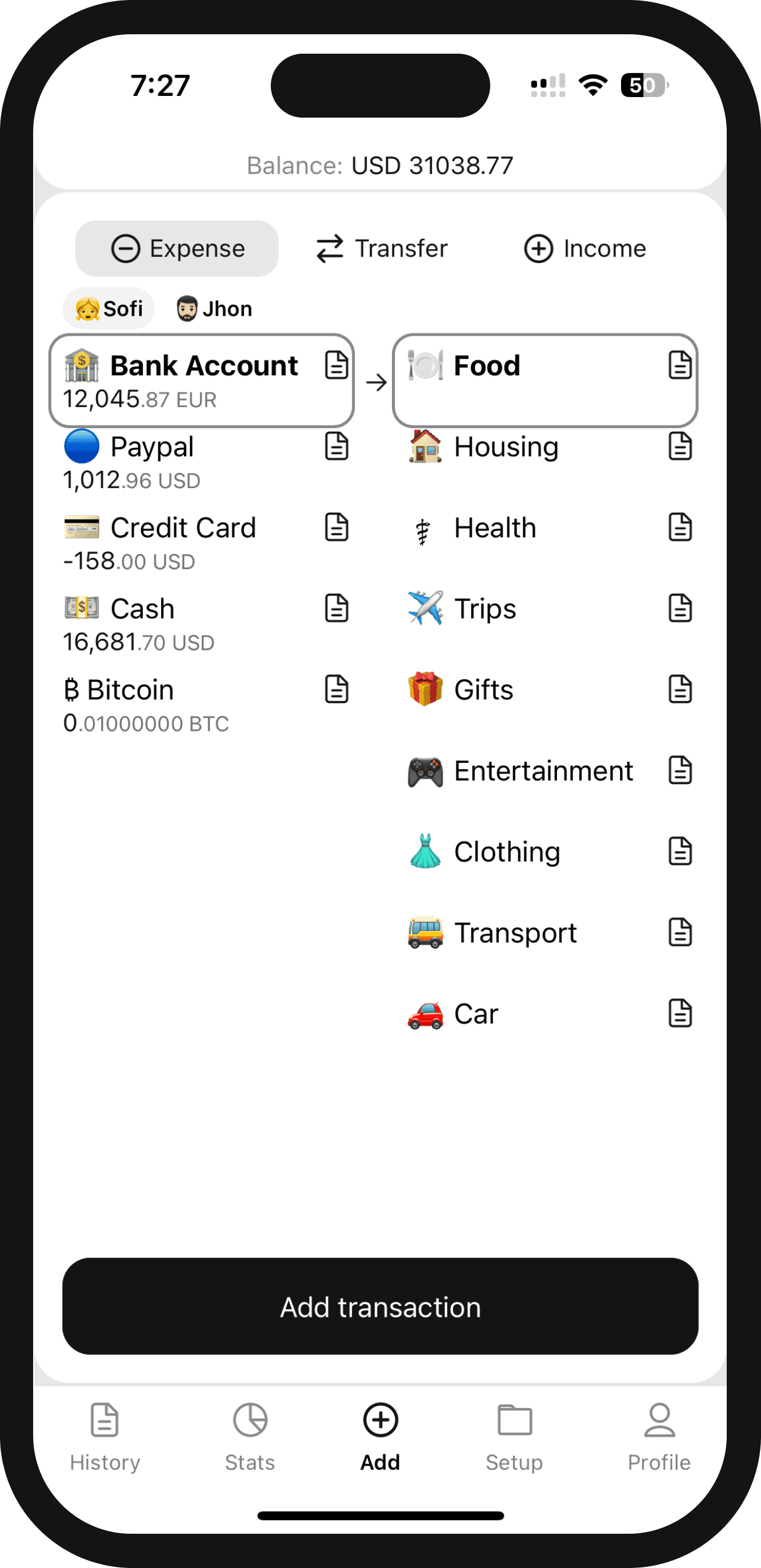
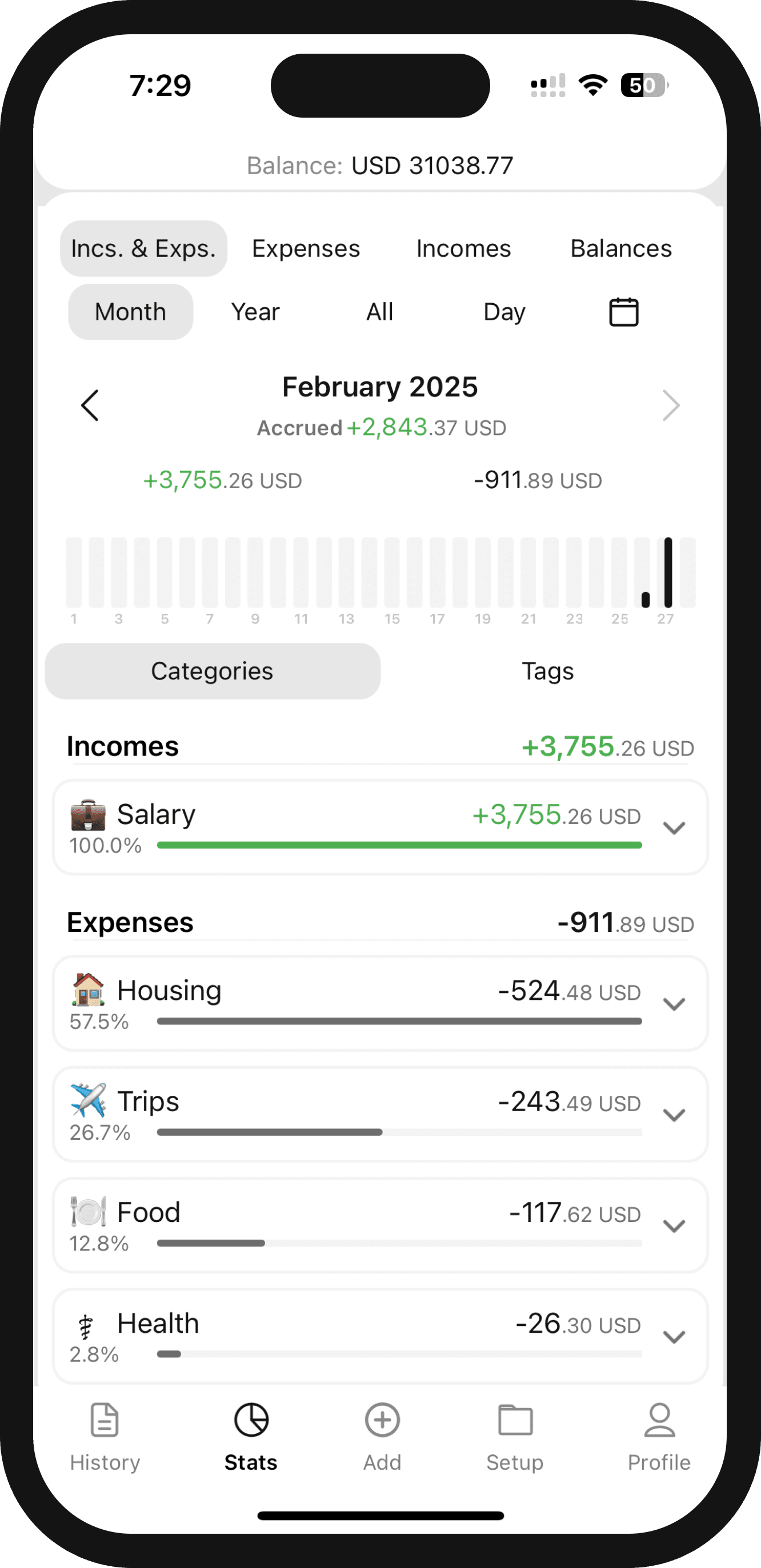
📊 Detailed income and expense statistics
See where your money goes with clear charts and on-demand monthly reports. AI highlights the patterns worth noticing, and finished reports can go straight to your account email.
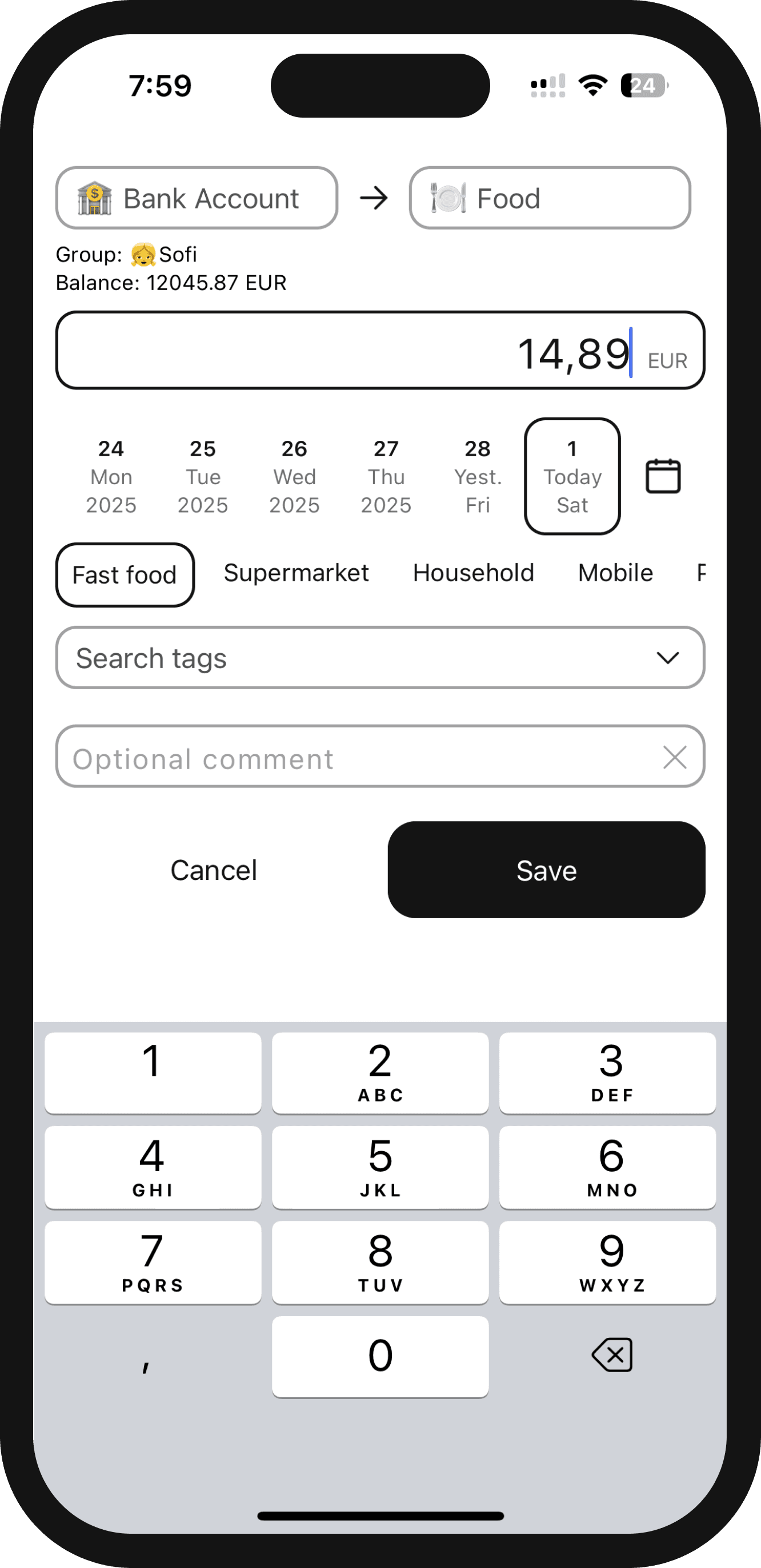
🎙️ Fast transaction entry — voice or manual
Say one transaction or several at once. The app matches your accounts, categories, currencies, and tags, then gives you editable drafts to review before saving. Prefer manual input? Common choices come first so you can log it and move on.
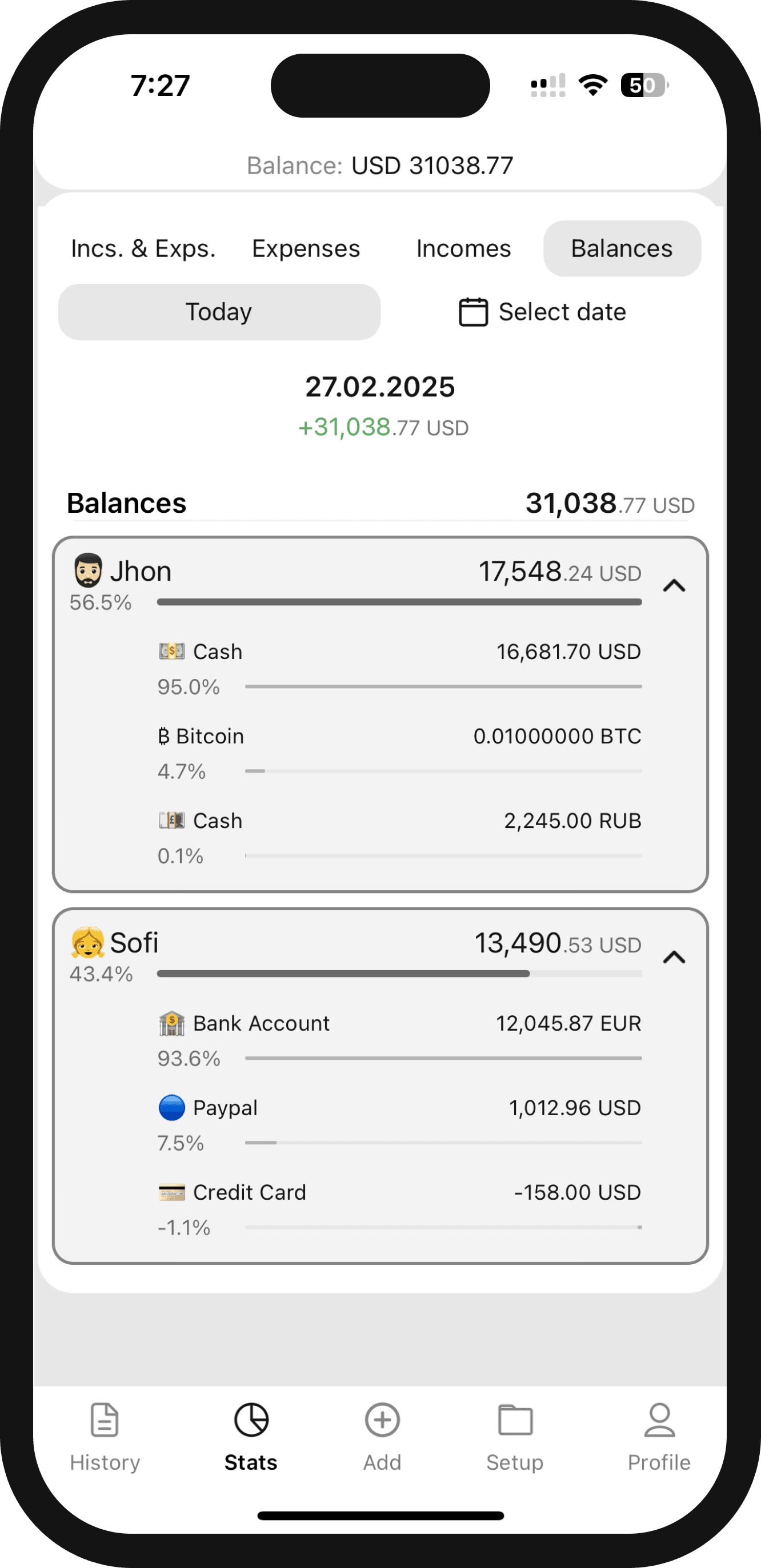
💰 Comprehensive asset balance with detailed view
Keep track of all your assets in one place — cash, crypto, investments. Organize them into groups, such as family, personal needs, or various goals. Enjoy full transparency and support for 300+ currencies with up-to-date exchange rates.
🔥 App Features
Talk it in. Type it in. Move on.
Add several transactions at once by voice—or use a fast manual flow with your most common choices first.
Support for 300+ fiat and cryptocurrencies
Track your finances in any currency — fiat and crypto, with automatic exchange rate updates.
Client-side encryption
Protect financial data on your device before it syncs—an added layer of privacy under your control.
Account groups
Create account groups to conveniently organize your assets by different aspects of your life.
Safe Mode
Open a protected view with limited data when you do not want to reveal your full financial picture.
Informative AI reports
Get reports with a helpful summary of your income, expenses, and financial status — our AI highlights interesting trends.
⛳️ Development Roadmap
Ready
🧪 TestFlight build is readyThe beta version is already available in TestFlight. Core functionality is implemented and stable.
Ready
🛡️ Safe Mode (Hidden Storage)Opens a safe version of the app with limited data — useful if someone forces you to show your screen.
Ready
📊 AI Monthly ReportsAI-generated analysis of your financial activity from the previous month.
Ready
🚀 App Store LaunchThe Cash AI is available on the App Store.
Ready
🗣️ Voice AI Transaction EntryDictate one or several transactions, review matched categories and tags, edit anything uncertain, and add all approved drafts at once.
Aug 2026
🔐 Client-Side EncryptionLaunching in August 2026: protect financial data on your device before it syncs, with privacy controls kept in your hands.
▶️ How to Get Started in 2 Minutes
Frequently Asked Questions (FAQ)
The Cash AI is a simple app for tracking expenses, income, and assets. It makes it easy to keep an eye on your money, supports over 300 currencies (including cryptocurrencies), and provides analytics to help you make informed financial decisions.
Tap Add by voice and describe one or several transactions. The app prepares editable drafts with the relevant accounts, categories, currencies, and tags. Review, edit, and approve them before anything is saved. Data controls and processing details are explained in the App Privacy Policy.
The app turns your activity into charts, statistics, and a monthly report. Request AI analysis whenever you want a quick summary of the patterns, then send the finished report to your account's primary email address.
The service uses encrypted connections and access controls today. Client-side encryption arrives in August 2026, adding on-device protection before synchronization. Coverage and recovery details will be documented in the App Privacy Policy.
The Cash AI supports over 300 currencies — including both fiat and cryptocurrencies. Exchange rates refresh automatically when updated rate data is available.
Create as many accounts as you need and group them — for example, for family, personal needs, or business. Grouping allows you to quickly switch between accounts without mixing personal, family, or work assets.
No. You can organize accounts into groups for family, personal, or business finances within your own signed-in account, but groups are not shared accounts and do not give other people access.
The app uses an internet connection to keep signed-in data synchronized, refresh exchange rates, generate reports, and power voice entry.
Use Export Data in the app to create a CSV and open your email composer. CSV exports are readable files under your control, so store and send them carefully.
Download The Cash AI from the App Store using the link on this page. Android, iPad, and web versions are planned, and the short video above will get you started.
AI turns spoken transactions into editable drafts and monthly activity into a concise report, helping you capture data and spot patterns faster. You stay in control by reviewing drafts and choosing when to generate reports.
Categories, account groups, charts, statistics, and monthly reports make income and spending patterns easy to see, so you can adjust habits with a clearer picture.
CoinKeeper CSV import is temporarily unavailable while we validate it. Do not email financial export files to us. Check app updates for availability.
Safe Mode opens a protected view with limited data. It can help you avoid revealing your full financial picture when someone else can see your screen.